
70-Inch Mid-Century TV Stand for 65-to-75-Inch TVs Review: Fit, Setup, and Buying Checks
As an Amazon Associate, we earn from qualifying purchases. This does not affect the price you pay.
GarveeHome’s 70-inch mid-century TV stand (ASIN B0HN3QVWNG) is listed for 65-to-75-inch televisions and is a long console for a living room wall. It suits a large set plus a few components, and the thing to check before buying is the width of the television base or feet against the stand top, since a big screen can have feet set wider than the stand allows.
Specifications from the post
| Item | Detail |
|---|---|
| Brand | GarveeHome |
| Style | Mid-century TV stand |
| Width | 70 inches |
| Listed TV range | 65 to 75 inches |
| Height and depth | Not stated; confirm on the Amazon listing |
| Top-surface weight limit | Not stated; confirm on the Amazon listing |
| Cable management openings | Not stated; confirm on the Amazon listing |
| Storage layout | Not stated; confirm on the Amazon listing |
| Material and finish | Not stated; confirm on the Amazon listing |
Screen size is not the same as stand fit
A 75-inch television is about 65 inches wide on the screen, but the feet or a central pedestal can be placed at a width that does not match the stand. Look up the manual for your set, find the foot spacing and the base depth, and compare with the stand top. If the feet sit 60 inches apart and the stand top is 70 inches wide, there is room; if the feet are set at the far edges of a 75-inch screen, they may overhang the stand. The post lists a 65-to-75-inch range, but treat it as guidance and measure your own set.
Weight and the top surface
Large televisions are lighter than they used to be, but a 75-inch set can still weigh a good deal. The post does not give a weight limit for the top, so find it on the listing and compare with your television’s published weight, including the stand if it is attached. Add soundbars and consoles on the shelf below, and remember that the sum is what the unit must carry.
Cables, vents, and components
Components like a streaming box, a game console, and a soundbar need airflow. Leave space around vents, and avoid stacking boxes on top of each other. The post does not say how cables route through the stand, so check the listing photos for back panel cutouts. If there are none, plan to route cables behind the unit, leaving a gap at the wall for them to bend without kinking.
Viewing distance and height
- Sit where you normally watch and mark the center of the screen at eye level.
- Compare that height with the stand’s height plus the television’s stand height.
- Measure the distance from your seat to the wall; large screens often suit a longer distance.
- Check that the stand is centered on the wall or on the seating, whichever you prefer.
Assembly
A 70-inch cabinet is a two-person assembly. Lay out all parts, check against the parts list, and assemble on a soft surface. Align doors or drawers before the final tightening. Route cables before pushing the stand against the wall. Level the unit, and then mount the television, following the TV maker’s instructions for the base.
Who should skip it
Skip this stand if your television base is wider than the top, if the floor is uneven and cannot be shimmed, or if you want to wall mount the set and need only a low media cabinet. Skip it as well if you need open shelves for many components and the layout is not suited to it.
Living with the stand after setup
Dust collects behind a TV stand faster than you would think, mostly around cables. Every few months, pull the stand a few inches from the wall and vacuum behind it, keeping cables untangled and away from vacuum brushes. If you have pets or small children, tuck cables into a sleeve or clip them along the rear edge so that nobody can tug them. Re-check the television’s position on the top surface after any move, and wipe the finish with a soft dry cloth instead of harsh sprays.
Stand versus wall mounting
A wall mount frees the floor and puts the screen at a chosen height, but it needs a solid wall and careful cable work. A stand is easier, needs no drilling, and gives storage underneath, but it takes floor space and sets the screen height. If you have a stud wall and want a clean look, a mount works well; if you rent or want to avoid drilling, a stand is simpler.
Shopper questions
Will a 75-inch TV fit on a 70-inch stand?
It can, if the feet sit within the top surface. The screen may extend past the stand on each side, which is usually fine as long as the base is supported.
Does the top need extra bracing for a heavy set?
Check the weight rating on the listing against your set’s weight.
Can a soundbar and a streaming box fit?
Yes if the shelves and vents allow it. Check the shelf layout on the listing.
Can I anchor it to the wall?
Anchoring a TV stand can add stability. Check whether the listing includes anchors.
Confirm size and weight guidance on the Amazon page for ASIN B0HN3QVWNG before you buy.
Check the current Amazon listing for B0HN3QVWNG.
View current specifications for the 70-Inch Mid-Century TV Stand for 65-to-75-Inch TVs.
Related products
Listings checked against the Amazon Creators API. Prices and availability change; confirm on the Amazon page before you buy.
YOSHOOT 63" TV Stand Fit TVs Up to 70 inch, Mid Century Modern Entertainment Center with Power Outlet,Fluted Media Console with Open Shelves and Storage Cabinets for Living Room & Bedroom, Walnut

View on Amazon Affiliate link
SunnyFurn 70" Mid-Century Modern TV Stand for 65-75" TVs – Heavy-Duty Entertainment Center with 3 Drawers & Open Shelves, Vintage Chestnut Brown Media Console for Living Room – Chestnut Brown

View on Amazon Affiliate link
Bestier LED TV Stand for 65/70/75 Inch TV, 70 inch Gaming Entertainment Center with Adjustable Glass Shelves & Storage Cabinet for PS5, Xbox, Modern TV Console Table for Living Room, Black Marble

View on Amazon Affiliate link
SunnyFurn 70" Mid-Century Modern TV Stand for 65-75" TVs – Heavy-Duty Entertainment Center with Storage Drawers & Open Shelves, White MDF Media Console Cabinet for Living Room – Antique White

View on Amazon Affiliate link
FamiDear 70.87" Fluted Walnut Mid-Century Modern TV Stand, Fits 65-75" TVs | Center-support top, no middle sag, fits 65-75" TVs, fluted walnut finish, open shelf, hidden cable cutout

View on Amazon Affiliate link
Sunvasagoo 70” TV Stand for 65/75/80 Inch TV, Mid Century Modern TV Console with 2 Drawers & Open Shelves, Heavy Duty Wooden Media Console Cabinet with Metal Legs for Living Room

View on Amazon Affiliate link
OneBlis 70" Mid Century Modern TV Stand, Wood TV Consoles with Sliding Doors and Power Outlet, Entertainment Center with Adjustable Shelves, Fluted TV Stands for Living Room, Walnut

View on Amazon Affiliate link
Vabches 70" Mid Century TV Stand for TVs up to 80 Inch,Fluted Entertainment Center with Storage and Adjustable Shelves,Modern Media Console Table for Living Room,Bedroom,Walnut

View on Amazon Affiliate link
OneBlis 70" Mid Century Modern TV Stand with Fireplace, Fluted Fireplace TV Stand, Entertainment Center with Sliding Door, TV Console with Solid Wood Legs for Living Room, Walnut

View on Amazon Affiliate link
Decofy Mid Century TV Stand for TVs up to 80" with Fluted Sliding Doors, Modern Entertainment Center with Hidden Storage and Adjustable Shelf, Media Console Table for Living Room,Bedroom, Walnut

View on Amazon Affiliate link
Decofy Mid Century TV Stand for TVs up to 70 Inches Entertainment Center with Storage, Power Outlet, Fluted Sliding Doors & Adjustable Shelves, Modern Media TV Console Table for Living Room (Walnut)

View on Amazon Affiliate link
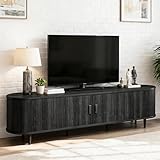
OneBlis 70" Mid Century Modern TV Stand, Wood TV Consoles with Sliding Doors and Power Outlet, Entertainment Center with Adjustable Shelves, Fluted TV Stands for Living Room, Black
View on Amazon Affiliate link
70" Mid-Century Fluted TV Stand with Storage up to 80 Inch, Walnut | 2 spacious drawers, adjustable shelves and a built-in charging station, Fluted TV Stands for Living Room

View on Amazon Affiliate link
AUXSOUL 70 Inch Mid Century Modern TV Stand for 75 Inch TV, Wood TV Stand with Storage, Entertainment Center for Living Room Bedroom, TV Media Console, Walnut

View on Amazon Affiliate link
YITAHOME Mid-Century Modern Fluted TV Stand for TVs up to 75/80", Walnut | Media Console with Built-in Power Outlets, Adjustable Shelves & Cable Holes, 70" Wooden Entertainment Center for Living Room

View on Amazon Affiliate link
OneBlis 70" Mid Century Modern TV Stand with Fireplace, Fluted Fireplace TV Stand, Entertainment Center with Sliding Door, TV Console with Solid Wood Legs for Living Room, Black

View on Amazon Affiliate link
OneBlis 70" Mid-Century TV Stand with Power Outlet and LED Lights, Walnu | Wooden TV Stand for TVs up to 80", LED Entertainment Center with Door & Storage Shelves, TV Consoles for Living Room Bedroom

View on Amazon Affiliate link
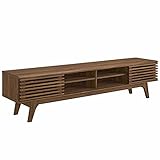
Modway Render 70" Mid-Century Modern Low Profile Media Console Entertainment TV Stand in Walnut Walnut
View on Amazon Affiliate link


